Oatty

An API environment for agents and developers

Give your agent access to your APIs.

Connect your agent to Oatty through MCP. Import an OpenAPI schema, or let the agent create one from your API documentation. Search, autocomplete, and run the same commands yourself in Oatty’s terminal interface.

For developers using a coding agent with an internal, custom, or less commonly supported API.

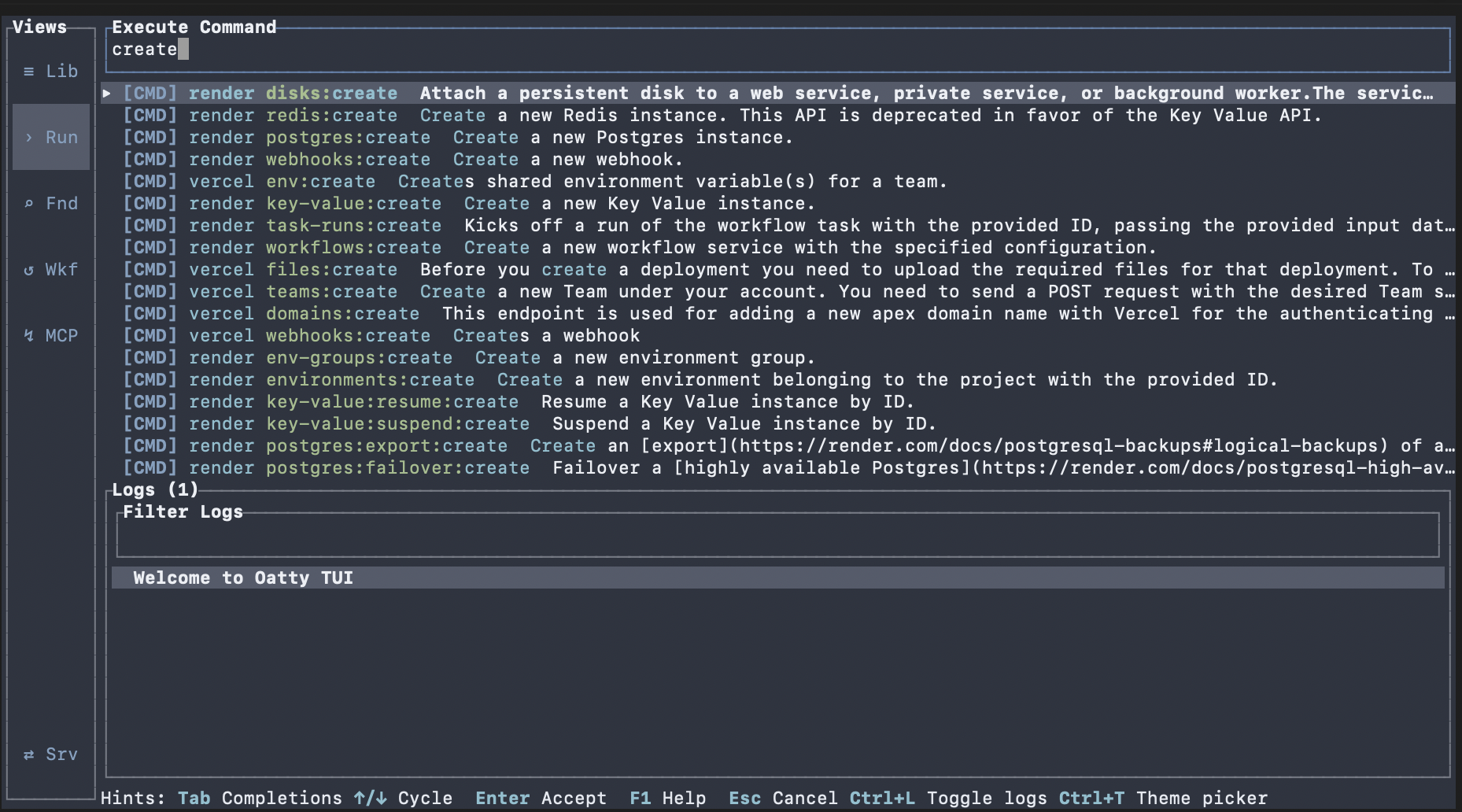
Oatty terminal interface
Search suggestions in Oatty’s terminal command catalog
Search the command catalog and complete an operation from the terminal.

One catalog, two ways to work

Make the API call. Then run it yourself.

Oatty exposes imported API operations to a connected agent through MCP. Those operations also appear in the terminal catalog, where you can find a command, supply its inputs, run it, and inspect the result.

01

Connect and import

Connect your MCP client, then supply a supported OpenAPI document from the provider or one your agent has authored from usable API documentation.

02

Discover and execute

The agent can find an imported operation and call it through Oatty. Start with one useful read so the connection and command are easy to check.

03

Use the same command

Open Oatty’s TUI, search for that operation, complete its inputs, and run it directly. Inspect the response and execution logs as you work.

Follow the API access guide
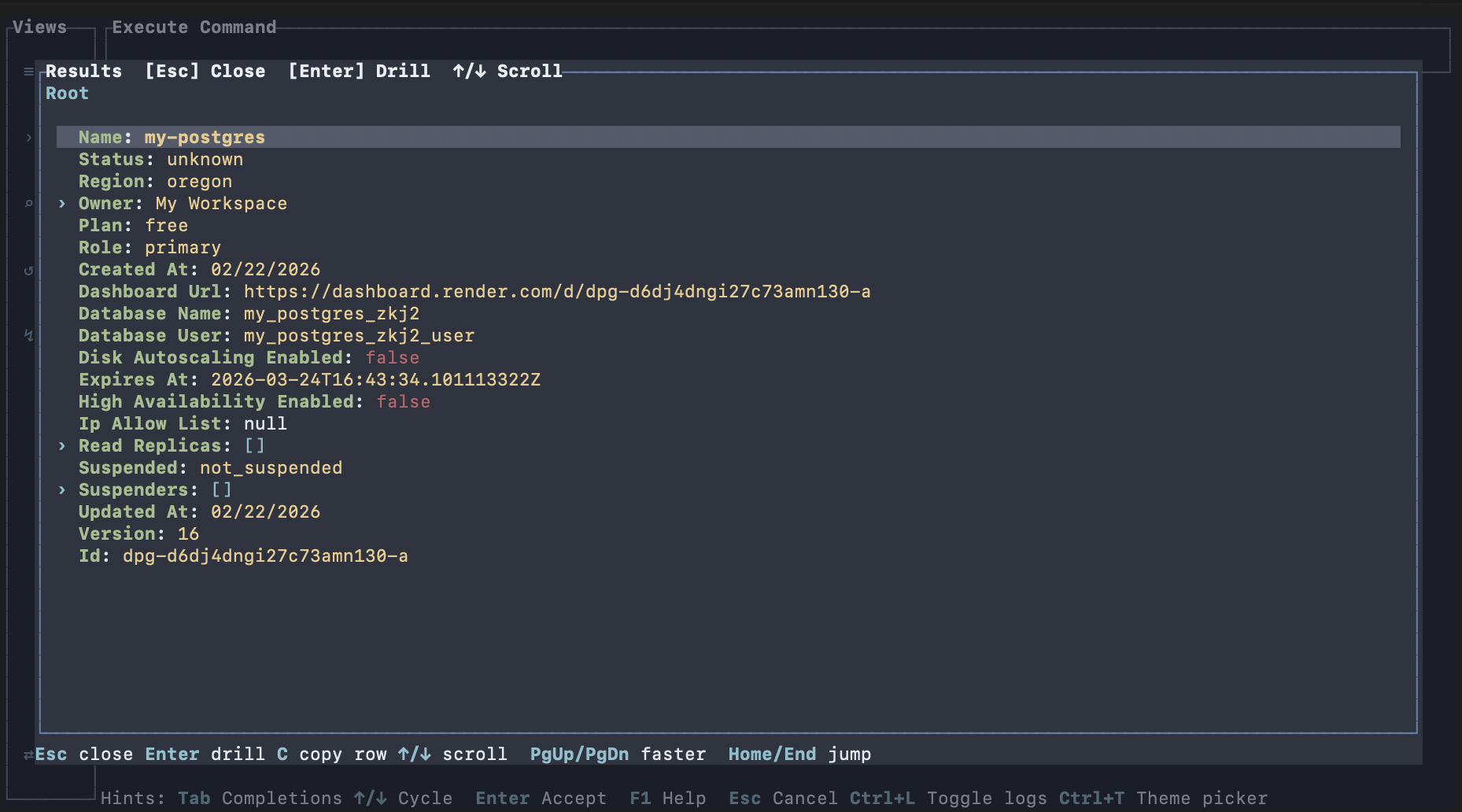
Oatty terminal interface displaying an API command result
Existing TUI result view. This screenshot does not show an agent call.

From access to a useful command

Bring the API your task needs.

The agent can help build and maintain the command catalog. You can work with that catalog directly whenever you want to inspect a call or make it yourself.

01 / Add

Add the API you need.

Use a supported OpenAPI schema from your provider, or have your agent author one from documentation and request examples. The agent can validate, preview, and import the document through Oatty’s MCP tools.

When there is no published schema
02 / Run

Use the same commands as your agent.

Find an operation in the searchable catalog, complete its inputs, and run it in the TUI. Inspect the response and execution logs as you work.

Explore the TUI
03 / Correct

Correct the catalog when an operation fails.

A connected agent can update generated command definitions and connection settings through MCP. Inspect the change and retry the operation. The agent supplies the diagnosis; Oatty supplies the catalog tools and execution path.

See catalog repair
04 / Repeat

Keep a task you will use again.

Once the individual calls work, turn a useful sequence of commands into a reusable workflow.

Learn about workflows

Practical questions

What you need to get started.

The API access guide covers installation, MCP connection, importing a schema, and making a first call.

Does the API need to publish an OpenAPI document?

No. A connected agent can author a compatible document from usable documentation or request examples. Validate the document and the resulting commands before relying on them.

Can I use Oatty without an agent?

Yes. Search the catalog, use autocomplete, execute commands, and inspect results in the TUI.

Does Oatty include its own language model?

No. Your connected agent supplies the reasoning and, when needed, authors the schema. Oatty supplies the catalog and execution tools.

What changes when a command is repaired?

Catalog patching changes generated command definitions. It does not rewrite the API provider’s original OpenAPI document.

How do I configure authentication?

The current source supports catalog request headers with raw, environment, file, or secret-backed values. Check your installed release and the API’s requirements. Native OAuth token refresh has not been established.

Start with one useful call

Connect your agent to an API you use.

Import a schema, discover an operation, and run it through the same catalog you can open in the terminal.